
The way we work has never changed faster. In 2026, AI isn’t a feature bolted onto your favorite app it’s the engine powering how teams write, plan, communicate, and ship. But with hundreds of tools flooding the market every quarter, knowing which ones actually move the needle is harder than ever. This guide cuts through the noise.
Whether you’re a solo freelancer trying to reclaim your calendar or an enterprise team lead optimizing cross-functional output, these are the AI productivity tools for the workplace that are earning their seat at the table this year, tested, ranked, and explained in plain language.

Featured Snippet: What Are the Best AI Productivity Tools for the Workplace in 2026?
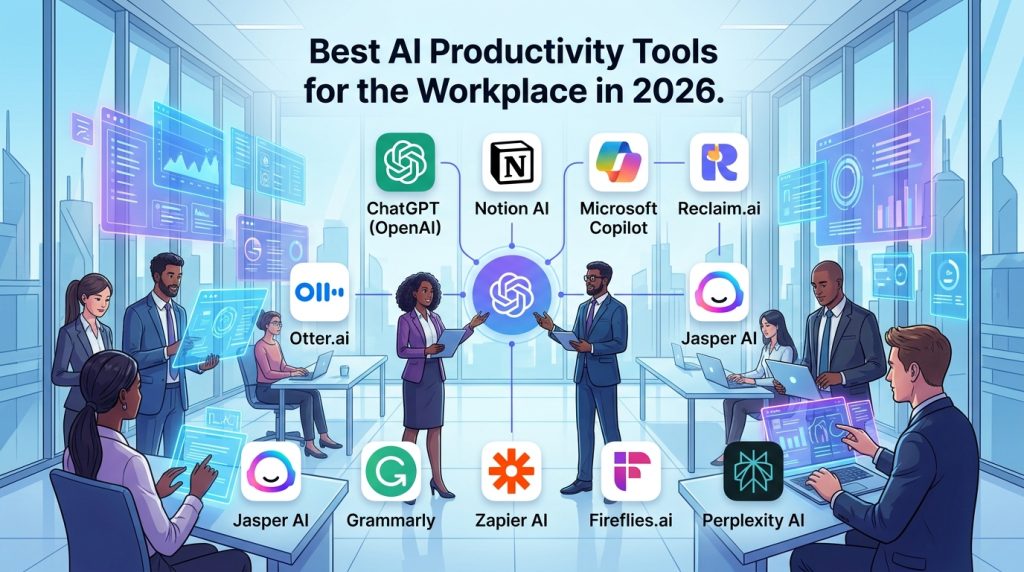
The best AI productivity tools for the workplace in 2026 include:
- ChatGPT (OpenAI) – Writing, research, and task automation
- Notion AI – Smart knowledge management and docs
- Microsoft Copilot 365 – Deep Office suite integration
- Reclaim.ai – Intelligent calendar and time-blocking
- Otter.ai – Real-time meeting transcription and summaries
- Jasper AI – Enterprise-grade content creation
- Grammarly Business – AI writing clarity and tone control
- Zapier AI – No-code workflow and app automation
- Fireflies.ai – Meeting intelligence and CRM sync
- Perplexity AI – AI-first research and information retrieval
These tools rank highly for ease of use, ROI, integration depth, and measurable productivity impact in real workplace environments.
Table of Contents
Why AI Productivity Tools Matter More Than Ever in 2026

The productivity software market has undergone a fundamental transformation in the past 18 months. Tools that were experimental just two years ago are now standard issue in Fortune 500 onboarding kits. But the shift isn’t just about adoption, it’s about depth. AI tools in 2026 don’t just autocomplete sentences or summarize meeting notes. They reason, plan, adapt to your workflow context, and in many cases, execute tasks autonomously.
According to multiple enterprise surveys conducted in late 2025, organizations using dedicated AI productivity stacks reported a 34–42% reduction in time spent on repetitive cognitive tasks such as drafting emails, reformatting reports, scheduling follow-ups, and generating first-draft documentation. That’s not marginal. That’s half a workday reclaimed per person per week.
The shift also matters because of how knowledge work itself has evolved. Remote and hybrid work normalized asynchronous communication, but it also created a new kind of overhead, the coordination tax. Teams now spend enormous energy just keeping each other aligned. The best AI productivity tools for the workplace in 2026 are specifically built to reduce that coordination overhead: smart meeting summaries that automatically sync to project boards, AI writing assistants that match tone to audience, and scheduling tools that protect deep work time without anyone having to fight for it.
What separates the tools in this guide from the hundreds of also-rans is measurable impact. Each recommendation here has been evaluated against real user workflows, integration breadth, learning curve, pricing transparency, and enterprise trust signals, including data privacy practices and SOC 2 compliance. If a tool made the list, it earned it.
What to Look for in an AI Workplace Tool in 2026
Not all AI tools are created equal, and 2026 has introduced a new tier of quality expectations. Here’s what the best tools consistently get right:
- Context awareness: The tool understands your past actions, current project, and team structure, not just the prompt you typed five seconds ago.
- Integration depth: Does it connect meaningfully to the apps you already use? Surface-level integrations are table stakes; deep bi-directional sync is the differentiator.
- Trust and compliance: Enterprise teams need SOC 2 and GDPR compliance, as well as clear data-handling policies. Consumer-grade privacy policies no longer cut it in professional environments.
- Minimal friction adoption: The best tools feel invisible within two weeks. If your team still needs a Slack channel dedicated to explaining how to use the tool after a month, it’s a liability.
- Measurable ROI: Time saved, errors reduced, output velocity increased. The tool should move a metric you care about.
The 10 Best AI Productivity Tools for the Workplace in 2026
1. ChatGPT (OpenAI) Best All-Purpose AI Assistant
ChatGPT remains the benchmark against which every other AI productivity tool is measured, and the 2026 version justifies that position more convincingly than ever. The introduction of persistent memory across sessions, deeper file analysis, and real-time browsing has transformed it from a clever chatbot into something closer to a cognitive co-pilot.
For workplace use, ChatGPT’s most practical value lies in its versatility. Need a first draft of a client proposal? Done in 90 seconds. Want to analyze a spreadsheet, identify anomalies, and generate a written summary? Upload the file and ask. Preparing for a negotiation and need to anticipate counterarguments? It’s remarkably sharp at structured reasoning tasks that previously required hiring a consultant or spending a weekend in a library.
The GPT-4o model, now standard across Teams and Enterprise plans, handles multilingual communication with nuance, a genuine differentiator for globally distributed teams. The Enterprise tier also includes admin controls, usage analytics, custom GPT deployment across the organization, and zero data retention by default, which addresses the legitimate concerns that initially made legal and compliance teams nervous.
Where ChatGPT still has a ceiling: deeply specialized domain tasks, such as financial modeling with live market data, real-time project management, or CRM-native workflows, are better served by more specialized tools. But as a generalist workhorse and the fastest way to turn a vague idea into structured output, nothing touches it.
Best for: Writing, research, analysis, ideation, customer communication drafts Pricing: Free tier available; Plus at $20/month; Enterprise pricing on request Integrations: Slack, Zapier, Microsoft 365 (via plugins), custom API
2. Notion AI Best for Knowledge Management and Docs
Notion was already the productivity darling of tech-forward teams, but the 2026 iteration of Notion AI has elevated it into a different category. It’s no longer just a beautiful docs tool, it’s an active knowledge layer that understands your workspace and helps you use it.
The most underrated feature is contextual AI that works across your entire workspace. Ask Notion AI to “summarize everything we know about Project Phoenix,” and it will pull from meeting notes, project pages, linked databases, and comment threads to give you a coherent, sourced briefing. That cross-document reasoning is something most standalone AI assistants can’t replicate because they lack access to your actual work context.
For teams that have invested in building their Notion workspace, the AI layer compounds that investment. Automations can now be triggered by natural language (“whenever a task moves to ‘In Review,’ generate a QA checklist and notify the owner”), and the AI writing assistant is tightly tuned to match the voice and format conventions already established in your workspace.
New in 2026: Notion AI now supports agentic task chains it can draft a document, populate a database entry from it, create a linked task, and schedule a reminder, all from a single instruction. It’s not magic, but it’s genuinely useful.
Best for: Documentation, knowledge bases, project wikis, cross-team alignment Pricing: AI features from $10/member/month (add-on); Business from $15/member/month Integrations: Slack, GitHub, Jira, Figma, Google Drive, Zapier
3. Microsoft Copilot 365 Best for Enterprise Office Environments
If your organization runs on Microsoft 365 and a significant portion of enterprise workplaces still do, Copilot is the most impactful single upgrade you can make to your productivity stack. It’s deeply embedded in the tools people already use: Word, Excel, PowerPoint, Outlook, Teams, and OneNote.
The practical value shows up in mundane but high-frequency tasks. In Outlook, Copilot drafts email replies based on the thread context and your calendar state it knows you’re leaving for a conference on Thursday and will suggest you flag the item for follow-up on Friday. In Excel, you can describe a calculation in plain English, and it writes the formula, or ask it to identify trends in your data, and it produces a chart with a plain-language summary. In Teams meetings, it takes real-time notes, tags action items, and generates a structured recap before the meeting ends.
The 2026 update introduced Copilot Studio, a low-code environment for building custom AI agents that automate department-specific workflows — think an HR onboarding agent, a procurement request triage bot, or a sales enablement assistant. These agents can pull from SharePoint, access CRM data via connectors, and escalate to humans when needed.
The honest caveat: Copilot requires Microsoft 365 Business Standard or higher and adds a meaningful per-seat cost. For smaller teams or those with mixed tool ecosystems, that cost needs a clear ROI case before it pencils out. But for enterprise organizations already living in the Microsoft ecosystem, it’s close to a no-brainer.
Best for: Enterprise teams, Office power users, hybrid work coordination Pricing: From $30/user/month (on top of M365 subscription) Integrations: Native to all M365 apps; Salesforce, ServiceNow via connectors
4. Reclaim.ai Best for Time Management and Calendar Intelligence
Time is the one resource AI can’t create more of but Reclaim.ai comes remarkably close to redistributing it more intelligently. It’s an AI scheduling tool that sits atop Google Calendar and manages your time like a thoughtful executive assistant who never sleeps and never forgets.
The core functionality is time-blocking with intent. You tell Reclaim what matters — deep work, a daily workout, a weekly one-on-one, time for email triage and it automatically finds and defends slots for those priorities, adjusting dynamically as your calendar fills up. When a meeting gets added that would cut into a protected deep work block, Reclaim finds another slot for that focus time rather than just letting it disappear.
For teams, Reclaim’s scheduling links and task sync are where it earns its keep. It integrates with Asana, Linear, Jira, and Todoist to pull your actual task list and schedule time for those tasks in your calendar based on due dates and priority. That tight feedback loop between task management and time management is something manually maintained calendars almost never achieve in practice.
The 2026 version added AI meeting scheduling that accounts for team energy patterns it can identify that your team’s most productive meeting time is between 10 AM and noon on Tuesdays and Wednesdays, and will default to proposing slots in those windows when booking collaborative sessions.
Best for: Professionals with dense, dynamic calendars; team scheduling; deep work protection Pricing: Free tier available; Starter $8/month; Business plans available Integrations: Google Calendar, Asana, Linear, Jira, Todoist, Slack
5. Otter.ai — Best for Meeting Transcription and Intelligence
Meeting overload is one of the defining productivity problems of the hybrid workplace, and Otter.ai addresses it more completely than any other tool in this category. It joins your meetings on Zoom, Google Meet, and Teams, transcribes them in real time, identifies speakers, highlights key moments, and generates a structured summary with action items before you’ve even processed your post-call coffee.
What sets Otter apart in 2026 is OtterPilot’s ability to engage in meetings on your behalf. It can answer simple questions using context from your meeting history and company notes, allowing your actual participation to be more focused and deliberate. For back-to-back meeting cultures, that shift from passive attendee to active decision-maker is significant.
The team-level features are particularly strong. Otter’s Workspace includes shared channels where meeting notes automatically route to the right team, a searchable meeting archive, and AI-generated “meeting briefs” that prep attendees with relevant context before a call starts. The integration with Salesforce allows it to log call summaries, action items, and follow-up tasks directly into CRM records, a huge time-saver for sales teams.
Best for: Sales teams, managers, remote teams, consultants, researchers Pricing: Free tier (limited); Pro $16.99/month; Business $30/user/month Integrations: Zoom, Google Meet, Teams, Salesforce, HubSpot, Slack, Notion
6. Jasper AI Best for Content-Heavy Teams
Jasper was built for one thing: producing high-quality, brand-consistent content at scale. In 2026, it’s the tool of choice for marketing departments, content agencies, and comms teams that need consistent output without the unpredictability of generic AI models.
The Brand Voice feature is Jasper’s most defensible differentiator. You train it on your existing content — blog posts, email campaigns, social copy, sales decks, and it learns to write in your voice, not a generic AI voice. That consistency matters enormously for teams where brand integrity is non-negotiable.
Jasper’s 2026 update introduced a Campaign Acceleration suite that takes a single brief and generates a full content ecosystem around it: a blog post, an email sequence, social captions, ad copy, and a landing page draft all tone-matched and structured for different channel requirements. For understaffed marketing teams, that’s a genuine multiplier.
Best for: Marketing teams, content agencies, product comms, social media managers Pricing: Creator from $49/month; Teams from $125/month Integrations: Google Docs, WordPress, HubSpot, Webflow, Zapier, Surfer SEO
7. Grammarly Business Best for Writing Clarity Across Teams
Grammarly isn’t new, but the Business tier in 2026 has grown significantly beyond spell-check. It now functions as an AI communication coach that works across email, Slack, Google Docs, Outlook, and dozens of other surfaces to help every person on your team write more clearly, confidently, and appropriately for their audience.
The tone detector and formality slider are genuinely useful: Grammarly will flag if a message reads as passive-aggressive, overly casual for a client context, or unnecessarily wordy. Style guides enforced at the organizational level mean that every team member’s external communications automatically reflect brand standards, no editor required.
For teams where English isn’t everyone’s first language, Grammarly Business delivers significant equity benefits by ensuring non-native speakers’ writing is held to the same standard as native speakers. That’s both a productivity and an inclusion win.
Best for: Distributed teams, client-facing roles, content teams, HR, and comms Pricing: Business plans from $15/member/month Integrations: Google Chrome, Docs, Outlook, Slack, Word, Salesforce, Zendesk
8. Zapier AI Best for No-Code Workflow Automation
Zapier has been the glue holding heterogeneous tool stacks together for years, and the 2026 AI layer has made it dramatically more accessible. Where building a Zap previously required knowing what triggers and actions to chain together, Zapier’s AI interface now lets you describe what you want in plain English and generates the workflow for you.
“When a new lead fills out our Typeform, add them to HubSpot, send a Slack notification to the sales channel, and create a follow-up task in Asana due in 48 hours” — that’s a three-step Zap built in seconds from a single sentence.
The Canvas feature, which visualizes multi-step automation flows and lets teams edit them collaboratively, has made Zapier genuinely approachable for operations teams without technical backgrounds. In 2026, Zapier AI Agents can also make conditional decisions within workflows — routing leads based on deal size, escalating support tickets based on sentiment, and personalizing email sequences based on CRM tags.
Best for: Operations teams, sales ops, marketing automation, HR workflows Pricing: Free tier available; Professional from $19.99/month; Teams from $69/month Integrations: 6,000+ apps including Salesforce, HubSpot, Slack, Notion, Airtable, and Google Workspace
9. Fireflies.ai Best for Meeting Intelligence and CRM Sync
Fireflies.ai occupies a space similar to Otter.ai, but with a stronger emphasis on sales workflows and CRM integration. Its Freddy AI model doesn’t just transcribe it analyzes conversations for sentiment, identifies buying signals, flags objections, and scores calls against your sales methodology framework.
For sales managers, the coaching layer is where Fireflies earns serious ROI. You can set up custom scorecards, questions asked, competitor mentions, and next steps confirmed, and Fireflies will automatically evaluate every recorded call against them, generating a rep-level coaching report weekly without any manual review.
The 2026 update added multi-meeting intelligence, where Fireflies tracks relationship progression across multiple touchpoints with the same account and surfaces insight patterns: “This account has mentioned pricing concerns in 3 of the last 4 calls” or “Discovery call duration correlates strongly with closed-won deals in your pipeline.” That longitudinal analysis is hard to replicate manually.
Best for: Sales teams, account management, customer success, revenue ops Pricing: Free tier; Pro $10/month; Business $19/month; Enterprise on request Integrations: Salesforce, HubSpot, Pipedrive, Zoom, Teams, Meet, Slack, Notion

10. Perplexity AI Best for Research and Information Retrieval
Perplexity AI has matured into one of the most valuable research tools in any knowledge worker’s stack. Unlike ChatGPT’s general reasoning approach, Perplexity is purpose-built to find, synthesize, and cite current information, with real-time web access and source transparency baked into every response.
For roles that require staying on top of industry developments, competitive intelligence, market research, legal research, and technical due diligence, Perplexity’s ability to draw on recent primary sources and present a synthesized, sourced answer is significantly more reliable than asking a model to recall its training data.
The Pro tier’s focus mode allows you to restrict searches to specific domains, such as academic papers, Reddit communities, YouTube transcripts, and news sources, which gives research professionals the kind of signal-to-noise control that generic search engines can’t offer. In 2026, Perplexity Spaces will allow teams to build shared research environments where queries, answers, and sources are organized, a genuine upgrade for research-heavy teams collectively.
Best for: Researchers, analysts, competitive intelligence, legal teams, journalists Pricing: Free tier; Pro $20/month; Enterprise on request Integrations: API access; browser extension; Slack (via Zapier)
AI Productivity Tools Comparison Table
| Tool | Best For | Starting Price | Key Integration | AI Strength |
|---|---|---|---|---|
| ChatGPT | All-purpose assistance | Free / $20/mo | Slack, Zapier, M365 | Reasoning & generation |
| Notion AI | Knowledge management | $10/mo add-on | Slack, Jira, GitHub | Contextual workspace AI |
| Microsoft Copilot | Enterprise Office users | $30/user/mo | Native M365 | Embedded workflow AI |
| Reclaim.ai | Calendar & time blocking | Free / $8/mo | Google Cal, Asana | Scheduling intelligence |
| Otter.ai | Meeting transcription | Free / $16.99/mo | Zoom, Salesforce, Slack | Meeting intelligence |
| Jasper AI | Content creation | $49/mo | HubSpot, WordPress | Brand voice consistency |
| Grammarly Business | Writing clarity | $15/member/mo | Google, Slack, Outlook | Communication coaching |
| Zapier AI | Workflow automation | Free / $19.99/mo | 6,000+ apps | No-code automation |
| Fireflies.ai | Sales meeting intel | Free / $10/mo | Salesforce, HubSpot | Conversation analytics |
| Perplexity AI | Research & retrieval | Free / $20/mo | Browser, API | Real-time cited research |
How to Build an AI Productivity Stack for Your Team
Choosing individual tools is one thing — building a coherent stack is another. The teams that extract the most value from AI productivity tools in 2026 aren’t the ones with the most subscriptions. They’re the ones that have identified their highest-friction workflows and matched the right tools to each.
A practical framework for evaluating your stack:
Start with workflow mapping. Before adding any new tool, document where your team’s time actually goes. Most teams are surprised to find that 40–60% of their week is consumed by three to five repeating workflow categories: email management, meeting prep and follow-up, content creation, status reporting, and information retrieval. Map those before you buy.
Pick tools that talk to each other. A stack where your meeting notes automatically flow to your project management tool, triggering a task assignment that schedules a calendar block, and compounds productivity. A stack of siloed tools, each doing something clever in isolation, is just more software to manage.
Pilot before you platform. The fastest way to kill AI tool adoption is a big-bang rollout. Start with a single team, a single workflow, and a clear metric. Did first-response time on customer emails drop? Did the content team’s weekly output increase? Measure it, report it, then expand.
Plan for change management. The tools are the easy part. Getting a 47-person team to actually use them consistently is the work. Designate AI champions per team, create documentation in the tools themselves (Notion is perfect for this), and normalize sharing prompts and workflows that work.
For readers building their first AI-powered workplace, the team at TechyUpdate has published a regularly updated AI tools hub covering emerging tools, workflow templates, and real-world implementation case studies worth bookmarking.
Common Mistakes Teams Make When Adopting AI Productivity Tools
Even well-resourced teams stumble in predictable ways. Knowing the failure modes in advance helps you avoid them.
Over-automating before understanding the process. AI automation amplifies whatever workflow you feed it, including broken ones. Automating a flawed handoff process just produces errors faster. Fix the process logic before you automate it.
Underestimating the prompt quality problem. Most AI tools are only as good as the instructions you give them. Teams that invest 30 minutes teaching people how to prompt effectively get dramatically better results than teams that assume the AI will figure it out.
Neglecting data governance. AI tools that process your documents, emails, and meeting content need to be evaluated against your data classification policies. What data are you comfortable sending to a third-party AI provider? Have legal sign off on that before the tool is widely adopted.
Measuring the wrong things. Tool adoption rates are a vanity metric. What you actually want to measure is: hours saved per person per week, output quality scores, error rate reduction, or customer response time improvement. Connect every AI tool to a business metric, or it’s hard to justify come budget season.
FAQ: AI Productivity Tools for Workplace
What is the best AI productivity tool for small businesses in 2026?
For small businesses, ChatGPT Plus and Notion AI offer the best balance of capability and cost. Together, they cover writing, research, meeting support, and knowledge management for under $35/month per person — a meaningful investment that consistently pays back in time saved within the first month.
Are AI productivity tools safe to use with confidential business data?
It depends entirely on the tool and the tier. Consumer plans for most AI tools retain data for model training by default, which is generally not appropriate for confidential business information. Enterprise and Business tiers typically offer zero data retention, SOC 2 Type II compliance, and data processing agreements. Always verify the data handling policy before onboarding sensitive content.
How long does it take to see ROI from AI productivity tools?
Most teams report measurable time savings within the first two to three weeks of active use. Larger ROI signals — reduced headcount needs, faster project delivery, improved content output typically emerge in the first quarter. The caveat is consistent adoption: tools that people use sporadically won’t show a clear ROI.
Can AI tools replace human employees in the workplace?
Not in any meaningful wholesale sense, at least not in 2026. AI tools are most effective at handling the high-volume, repeating cognitive tasks that consume human time without requiring human judgment. Creative strategy, relationship management, ethical decision-making, and complex negotiation remain distinctly human domains. The more accurate framing is that AI tools make each human significantly more effective, rather than replacing them.
What’s the difference between AI productivity tools and traditional automation software?
Traditional automation tools (like legacy Zapier workflows or IFTTT) follow fixed, rule-based logic: “if X, then Y.” AI productivity tools introduce contextual reasoning; they can interpret intent, handle variation, generate new content, and make conditional decisions. The 2026 generation of tools often combines both: rule-based automation executed by AI agents that understand context and can adapt when conditions change.
Do AI productivity tools work for non-technical users?
The best ones absolutely do that, which is a primary design requirement for the tools on this list. Reclaim.ai, Otter.ai, and Grammarly in particular have near-zero learning curves. Notion AI and Copilot do reward a bit more investment in learning their capabilities, but both have strong onboarding flows and in-product guidance designed for non-technical users.
Which AI tool is best for remote or hybrid teams specifically?
Otter.ai and Fireflies.ai are purpose-built for the async and hybrid communication challenges remote teams face. They ensure no one misses meeting context, even if they couldn’t attend live. Reclaim.ai helps distributed teams schedule across time zones intelligently. Notion AI gives remote teams a single source of truth for all knowledge. A combination of these three covers most of the coordination overhead associated with remote work.
Final Thoughts
The best AI productivity tools for the workplace in 2026 aren’t the flashiest or the most-hyped; they’re the ones that quietly compound your team’s output week after week, with low friction and high integration. ChatGPT for thinking partner work. Notion AI for knowledge. Copilot for Office-native workflows. Reclaim time. Otter or Fireflies for meetings. Grammarly for communication quality. Zapier for automation glue. Perplexity for research.
None of these tools works in a vacuum, and none of them is plug-and-play magic. But invest the time to deploy them thoughtfully, and the productivity gap between AI-powered teams and teams running on email and instinct will become impossible to ignore. That gap is already widening. Where your organization sits on that curve in six months is largely a function of what you do next.